
 Provider hub
 Spectrum router & modem lights
Light meanings for Spectrum WiFi 6 routers (SAX1V1 family), Wave 2 routers and standalone modems. Start with the colour.
Identify your hardware
Light meanings are model-specific. Confirm the model before comparing a light to a chart.
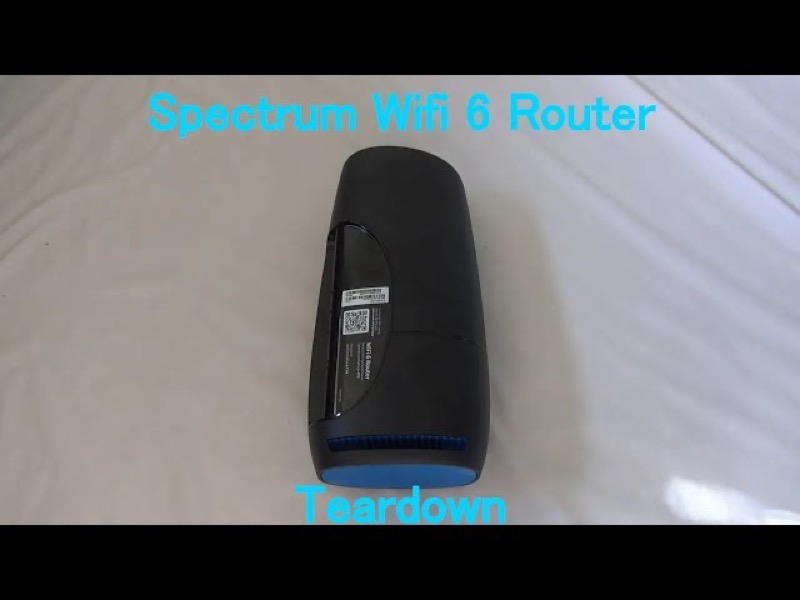
Spectrum provides both customer-owned and Spectrum-issued equipment. Identify the actual model on the label before interpreting any light.
How to find your model number →Model light guides
Model-specific light charts, one per hardware family.
Spectrum router and modem lights: which chart to use Spectrum's lights differ by device. The WiFi 6 router (SAX1V1 family) has a status-light legend in Spectrum's manual, and Spectrum's modem page… View light chart → Spectrum SAX1V1 WiFi 6 router: identify and reference The Spectrum WiFi 6 router in the manual is labelled SAX1V1X, and this page covers the SAX1V1 family. View light chart → Spectrum WiFi 6 router lights (SAX1V1) On the Spectrum WiFi 6 router (SAX1V1 family), a solid blue or green status light means connected to the internet. View light chart →
Common problems
Step-by-step walkthroughs for the states people search for most.
Spectrum modem online light blinking Spectrum's public modem-light page defines the Online light only as on, meaning the internet is available. Open the walkthrough → Spectrum modem US and DS lights On Spectrum's modems, US is upstream (sending) and DS is downstream (receiving). Read them with Cable Link: when Cable Link is on, the cable… Open the walkthrough → Spectrum router blinking amber: what to check Spectrum's WiFi 6 router manual does not list an amber light, and the sources do not cover the Wave 2 router where amber is mentioned. Open the walkthrough → Spectrum router blinking blue after a power outage After a power cut, the Spectrum WiFi 6 router goes through its start-up sequence: blue or green flashing while booting, pulsing while connecting,… Open the walkthrough → Spectrum router blinking blue: what it means On the Spectrum WiFi 6 router (SAX1V1 family), a blue or green pulsing light means the router is connecting to the internet, and flashing means it is… Open the walkthrough → Spectrum router blinking green: what it means On the Spectrum WiFi 6 router, the status light is described as blue or green, so green has the same meanings as blue. Open the walkthrough → Spectrum router blinking red slowly Spectrum's WiFi 6 manual describes one red pulsing state, a connectivity issue, and does not separate fast from slow. Open the walkthrough → Spectrum router blinking red: what it means On the Spectrum WiFi 6 router (SAX1V1 family), a red pulsing light is a connectivity issue. Open the walkthrough → Spectrum router blinking white: what it means On the Spectrum WiFi 6 router, white appears in Spectrum's manual only as red and white alternating, which means overheating. Open the walkthrough → Spectrum router blue light but no internet On the Spectrum WiFi 6 router, solid blue or green means the router is connected to the internet. Open the walkthrough → Spectrum router power light blinking Spectrum's WiFi 6 router manual describes one status light and no separate power light. Open the walkthrough → Spectrum router solid red light: what to check Spectrum's WiFi 6 router manual does not describe a solid red light. Its red states are pulsing for a connectivity issue, red and blue or green for a… Open the walkthrough → Spectrum router Wi-Fi light off Spectrum's WiFi 6 router manual has no separate Wi-Fi light, only one status light. Open the walkthrough →
Official Spectrum resources
These links leave this site and open the provider's own pages.
Last updated 2026-11-01. Spot something wrong? Report a correction.