
 Provider hub
 Verizon router & modem lights
Light meanings for Verizon Fios routers and optical terminals, including the CR1000A. Compare your light with the chart for your exact model.
Identify your hardware
Light meanings are model-specific. Confirm the model before comparing a light to a chart.
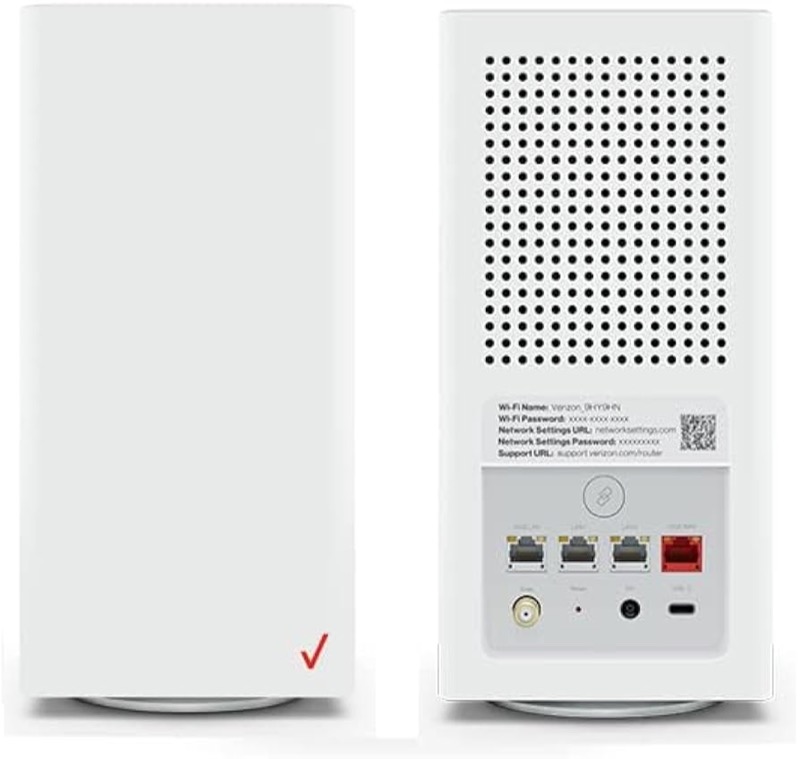
Verizon's CR1000A PDF manual and its LED web table differ on one hardware-failure indication. That conflict is flagged, not merged.
How to find your model number →Model light guides
Model-specific light charts, one per hardware family.
Verizon CR1000A router light meanings On the Verizon CR1000A, solid white is normal and solid yellow means no internet connection. View light chart → Verizon Fios G3100 lights: what to check The sources on this site do not give the Verizon Fios G3100's light meanings. Verizon's CR1000A chart and its 5G Home gateway chart are for other… View light chart →
Common problems
Step-by-step walkthroughs for the states people search for most.
Fios router blinking white: what it means On the Verizon CR1000A, which is the Fios router these sources document, fast blinking white means the router is booting or restarting, and solid… Open the walkthrough → Verizon Fios ONT light: power light and blinking Verizon's Fios ONT page documents one indicator: the power light, which should be on in normal operation and off when electricity is not flowing from… Open the walkthrough → Verizon router blinking blue: WPS pairing On the Verizon CR1000A, slow blinking blue is WPS pairing mode for up to two minutes, and fast blinking blue means the pairing succeeded. Open the walkthrough → Verizon router blinking white: what it means On the Verizon CR1000A, fast blinking white means the router is booting or restarting, according to Verizon's user guide. Open the walkthrough → Verizon router no light: power off or dark On the Verizon CR1000A, Verizon's chart reads no light as the router being off, so the first check is power: the cord in the rear DC jack and a… Open the walkthrough → Verizon router red light: what to check On the Verizon CR1000A, red covers several states, and Verizon's two sources disagree on which pattern means which. Open the walkthrough → Verizon router solid white light: what it means On the Verizon CR1000A, solid white is normal operation: the router is on, connected and working. Open the walkthrough → Verizon router Wi-Fi light blinking: what it means The Verizon CR1000A has no separate Wi-Fi light. Its one Router Status light shows Wi-Fi with colour: solid green means Wi-Fi is off, and solid white… Open the walkthrough →
Official Verizon resources
These links leave this site and open the provider's own pages.
Last updated 2026-11-01. Spot something wrong? Report a correction.