
#1 What This State Means
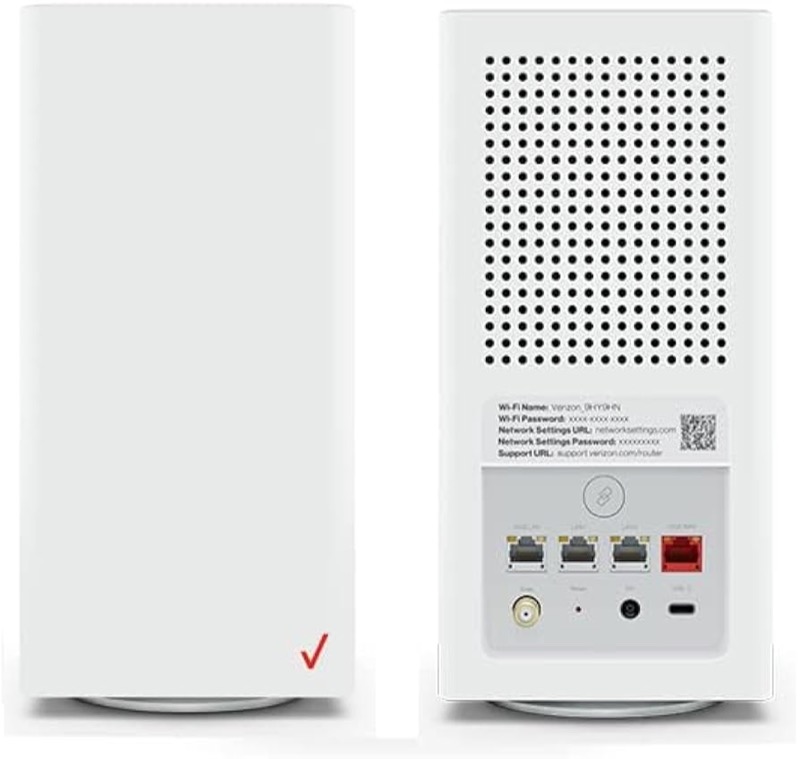
On the Verizon CR1000A, blue is the WPS light. Verizon’s user guide (S08) gives two blue states for the Router Status light. Slow blinking blue is pairing mode: after you press and hold the WPS button on the back of the router for more than two seconds, the light slowly blinks blue for up to two minutes, so you can finish pairing your Wi-Fi device. Fast blinking blue is a successful WPS pairing. The guide says that when a device starts connecting, the light blinks blue rapidly for a few seconds and then turns solid white as the connection completes.
So a blinking blue light on this router almost always means WPS is running. If you did not press the WPS button, check whether someone else did, or whether a device is trying to join. Verizon’s chart does not give a separate meaning for blue on its own, so the pattern and the timing tell you which step you are in.
The page covers the CR1000A only. The user guide’s chart is for that model, and the sources do not show that other Verizon routers use it.
#2 Blue on the CR1000A
| Light | What Verizon says | What to do |
|---|---|---|
| Slow blinking blue | WPS pairing mode, for up to two minutes | Complete the pairing on your device within the window |
| Fast blinking blue | WPS pairing successful | Wait for the light to turn solid white |
| Solid white | Normal operation, after pairing completes | Nothing to fix |
| Fast blinking red for two minutes after an error | A WPS pairing error, per the user guide | Do not interpret alone; try pairing again after the red stops |
The user guide says that after a WPS error the light blinks red rapidly for two minutes. Verizon’s knowledge-base chart lists a WPS pairing failure as well, but the two sources do not agree on the red states, so use the red row as a timing reference only.
#3 Steps to Troubleshoot
- Check whether you started WPS. Slow blinking blue follows a press of the WPS button on the router. If you did not press it, check the devices in your home for one that is trying to join.
- If you started WPS, complete the pairing on your device. The light blinks slowly for up to two minutes, so finish the connection on the device within that time.
- Wait for fast blinking blue, then solid white. Fast blinking blue means the pairing succeeded, and solid white means the connection has completed.
- If the pairing fails, wait for the red to stop. The user guide says a WPS error shows fast red for two minutes. Try again after the red has stopped.
- If you did not start WPS and do not recognise a device, change the Wi-Fi password. A password change stops devices that joined without your permission from staying on the network.
- Check the internet if the light is solid white. Solid white means the router is working normally, so check the devices that cannot get online.
- Contact Verizon if the blue does not stop. Give the model, the blink speed, how long it has lasted, and whether you started WPS.
#4 What If Scenarios
Q: My Verizon router is blinking blue and I did not press anything. Is it hacked? The light means WPS is running. Someone in the home may have pressed the WPS button, or a device may be trying to join. Check the devices and change the Wi-Fi password if you cannot account for the pairing.
Q: The blue light blinks slowly. How long should it last? The user guide says the WPS light blinks slowly for up to two minutes, so that is the time to finish pairing your device.
Q: The light blinks blue fast, then goes solid white. Did it work? Yes, according to the user guide. Fast blinking blue is a successful WPS pairing, and solid white is the connection completing.
Q: After a WPS error the light blinks red. What should I do? The user guide says a WPS error shows fast red for two minutes. Wait for the red to stop, then try pairing again. The two sources disagree on the red states more generally, so contact Verizon if it keeps happening.
Q: My router is a Fios Router G3100 or another model. Does this chart apply? Not as far as the sources show. This chart is for the CR1000A.
#5 Related Articles
For the full CR1000A chart, read the Verizon CR1000A light meanings guide. For the start-up state, read the Verizon router blinking white guide. For the solid white state, read the Verizon router solid white guide.