
#1 What This State Means
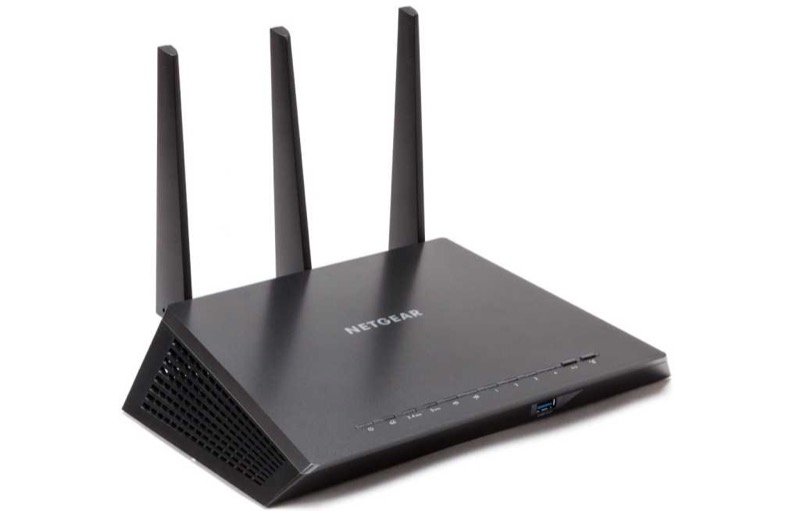
On a NETGEAR router, a blinking white light has two different meanings, and which one applies depends on the light. On the Power light, NETGEAR’s general router article (S29) says blinking white means the router’s firmware is corrupted. The same article gives blinking white and amber on the Power light as the R8000 router in AP mode, which is a model-specific case. On the Internet, WiFi and Ethernet lights, blinking white is normal: it shows the port or radio is sending or receiving traffic.
So a blinking white light is not one state. A blinking white Power light is a firmware fault that needs attention, while a blinking white Internet or WiFi light is traffic, which is healthy. Check which light is blinking before you act, because the two readings point in different directions.
The article warns that the icons vary with the age and model of the router. Confirm the model on the label before you rely on a particular detail, especially for the R8000.
#2 Blinking white on a NETGEAR router
| Light | Blinking white means | What to do |
|---|---|---|
| Power | Firmware is corrupted (the article’s model-specific case) | Contact NETGEAR; do not ignore it |
| Power, with amber | R8000 in AP mode (the article’s model-specific case) | Check the router’s mode for the R8000 |
| Internet | The port is sending or receiving traffic | Normal; nothing to fix |
| WiFi | The router is sending or receiving WiFi traffic | Normal; nothing to fix |
| Ethernet | The port is sending or receiving traffic | Normal; nothing to fix |
The traffic blinks are the everyday case. The Power blink is the one that means the router needs attention.
#3 Steps to Troubleshoot
- Identify which light is blinking white. Check the Power light separately from the Internet, WiFi and Ethernet lights.
- If it is the Internet, WiFi or Ethernet light, it is traffic. Blinking white on those lights means data is moving, so no action is needed.
- If it is the Power light, treat it as a firmware problem. The article says blinking white on the Power light means the firmware is corrupted.
- Check whether the light is blinking white and amber together. The article says that combination is the R8000 in AP mode, so check the router’s mode if you have an R8000.
- Keep the router powered while you check. Do not unplug it or press Reset while you contact NETGEAR.
- Contact NETGEAR for a Power light that blinks white. Give the model from the label, the light’s state, and when it started.
#4 What If Scenarios
Q: My NETGEAR router Power light is blinking white. Should I reset it? The article says blinking white on the Power light means corrupted firmware, so the sources do not give a reset as the fix. Contact NETGEAR rather than resetting it on your own. A reset removes your settings.
Q: The Internet light is blinking white. Is the router broken? No. The article describes blinking white on the Internet light as the port sending or receiving traffic, which is normal when data is moving.
Q: The WiFi light is blinking white. Is someone using my network? The article describes blinking white on the WiFi light as the router sending or receiving WiFi traffic. That shows data is moving on the wireless network, which is normal. It does not tell you who is using it.
Q: The Power light is blinking white and amber. What does that mean? The article gives that combination as an R8000 in AP mode. Only the R8000 is described that way, so check the model on the label before you read it as AP mode.
Q: My router is not an R8000 and its Power light blinks white. What now? Treat it as the firmware case. The article says blinking white on the Power light means corrupted firmware, so contact NETGEAR with the model from the label.
Q: What should I tell NETGEAR about the blinking white Power light? Give the router’s model from the label, the exact light state (white alone, or white with amber), when it started, whether the Internet, WiFi and Ethernet lights are behaving normally, and whether you have pressed the Reset button. The article ties the Power blink to firmware, so the firmware state is the most useful detail to share.
#5 Related Articles
For the full NETGEAR router light list, read the NETGEAR router lights guide. For the Nighthawk LED overview, read the Netgear Nighthawk LED status guide. For the Orbi ring lights, read the Orbi router and satellite lights guide.