
#1 What This State Means
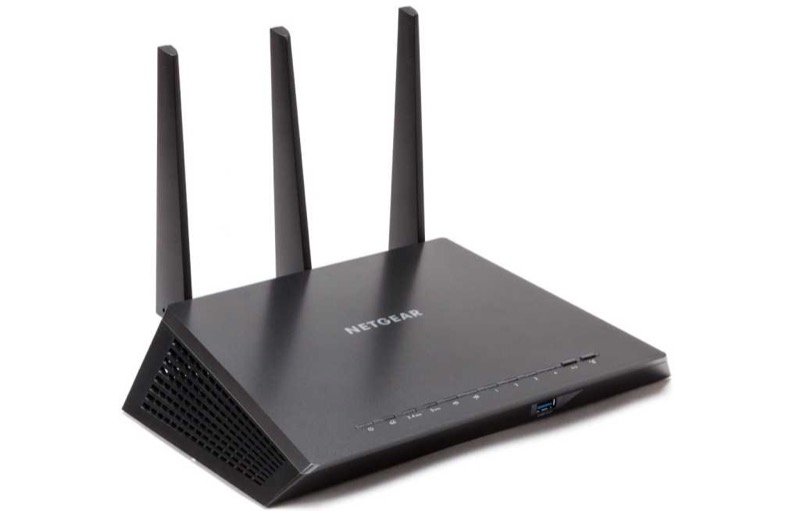
NETGEAR publishes two official light references that this site uses. The first is its general router article (S29), which covers NETGEAR routers across the WiFi 5, WiFi 6, WiFi 6E and gaming lines. It lists the Power, Internet, WiFi, WiFi band, USB, Ethernet and WPS lights, and it warns that the icons vary with the age and model of router. The second is its Orbi article (S28), which covers the Orbi router and satellite ring and power lights.
For a standard NETGEAR router, the most useful light is the Internet light. It is off when no Ethernet cable is connected between the router and the modem, solid green or white when the Internet connection is ready, and solid amber when the router has detected an Ethernet cable to the modem. The Power light shows the router’s start-up: solid green or white when it is ready, solid amber while it powers on, and blinking amber when the firmware is upgrading or the Reset button was pressed.
For an Orbi system, the lights are different. The ring and power lights are described in the Orbi article, and the satellite has its own ring states. Use the Orbi pages for those, rather than the general router article.
#2 Standard NETGEAR router lights
| Light | State | What NETGEAR says |
|---|---|---|
| Power | Off | Not powered on |
| Power | Solid green or white | Ready |
| Power | Solid amber | Powering on |
| Power | Blinking amber | Firmware upgrading, or Reset pressed |
| Power | Blinking white | Firmware corrupted (the article’s model-specific case) |
| Internet | Off | No Ethernet cable between the router and the modem |
| Internet | Solid green or white | Internet connection ready |
| Internet | Solid amber | Ethernet cable detected to the modem |
| Internet | Blinking white | Port sending or receiving traffic |
| WiFi | Off | WiFi radios off |
| WiFi | Solid white | WiFi radios operating |
| WPS | Blinking | WPS connection in progress |
| WPS | Solid | WPS connection successful |
The Ethernet ports use colour for speed, with white or green for gigabit and amber for 100 or 10 megabits. A solid light means a powered device is connected, and a blink means traffic.
#3 Steps to Troubleshoot
- Identify which light you are reading. The Power, Internet, WiFi, WPS or Ethernet light each means something different.
- Check the Internet light first. Off means no Ethernet cable to the modem, so connect the cable. Solid green or white means the connection is ready.
- If the Internet light is solid amber, check the modem. NETGEAR’s article says amber means the router detected a cable to the modem, so the link is there but may not be working.
- If the Power light is solid amber, wait. The article describes it as powering on.
- If the Power light is blinking amber, do not unplug the router. The article says that means a firmware upgrade or a Reset press, so let it finish.
- If the WPS light is blinking, finish the connection. The article says the WPS connection is in progress.
- Contact NETGEAR if a light does not match. Give the model from the label, the light’s state and what you have already checked.
#4 What If Scenarios
Q: My NETGEAR router Internet light is off. Is the router broken? Not on NETGEAR’s reading. Off means no Ethernet cable is connected between the router and the modem, so connect the cable and check the light again.
Q: The Internet light is solid amber. Is that the same as off? No. The article says solid amber means the router detected an Ethernet cable connection to the modem. The cable is detected, so check the modem and the connection.
Q: The Power light is blinking amber. Should I unplug the router? No. The article says blinking amber means the firmware is upgrading or the Reset button was pressed. Let the router finish.
Q: My Orbi light does not match this article. Why? The general router article does not cover the Orbi ring. The Orbi article describes its own ring and power states, so use the Orbi pages for those.
Q: The article mentions a blinking white power light. What is that? NETGEAR’s article describes blinking white on the power light as corrupted firmware, and it notes a model-specific case for the R8000 in AP mode. Contact NETGEAR if the power light is blinking white, because the article points to the firmware.
#5 Related Articles
For the Orbi ring and power states, read the Orbi router and satellite lights guide. For a Nighthawk router with a blinking white light, read the Netgear router blinking white guide. For the Nighthawk overview, read the Netgear Nighthawk LED status guide.