
#1 What This State Means
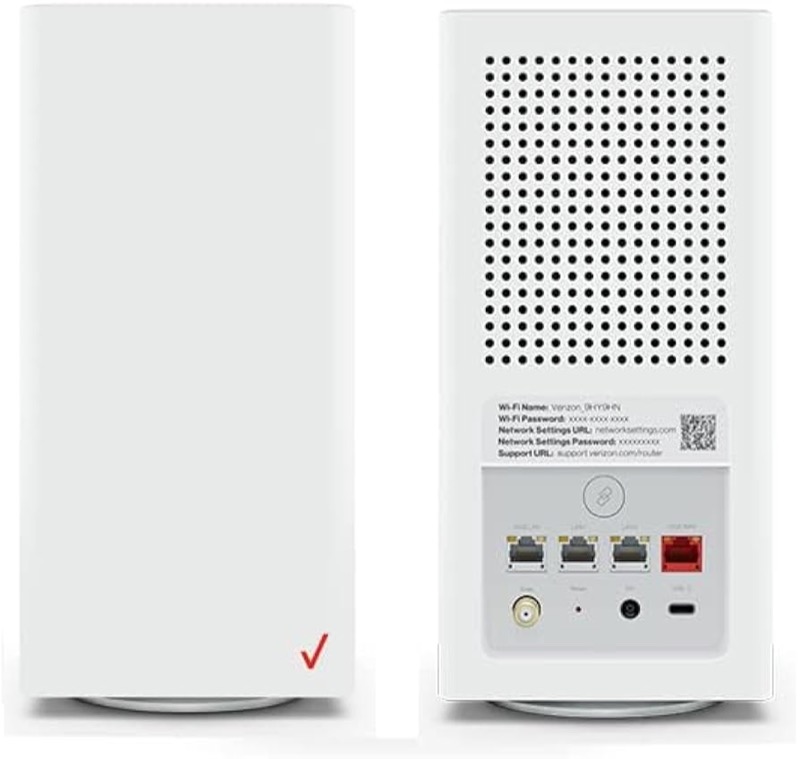
The “why” for a blinking white light on the Verizon CR1000A has a short answer in Verizon’s user guide (S08): fast blinking white means the router is booting or going through a system restart. So the reason is the start-up itself. The router blinks white while it is switching on or restarting, and it should turn to solid white when it is working normally.
The guide does not give a cause for a white light that keeps blinking after a long wait. It names the state, not a time limit, and it does not connect blinking white to a missing internet connection, which the chart shows as solid yellow. So if the white light keeps blinking, the start-up is taking longer than expected, and the next step is to check the power and cables rather than to assume a cause.
The page covers the CR1000A only. The user guide’s chart is for that model, and the sources do not show that other Verizon routers share it.
#2 Why the light is white and blinking
| Why the light shows it | What Verizon says | What it means for you |
|---|---|---|
| The router is booting | Fast blinking white | Normal, and temporary |
| The router is restarting | Fast blinking white, system restart | Normal, after a restart |
| The router is working | Solid white | No action needed |
The guide gives the start-up state and the working state. It does not give a separate reason for a long start-up. That is why the steps below check the power and the cables before anything else.
#3 Steps to check a blinking white light
- Confirm it is fast blinking white. Watch it for a minute to be sure it is a blink and not a steady light.
- Wait for the start-up to finish. The guide says fast blinking white is the router booting or restarting, so give it time before you act.
- If it turns solid white, the start-up is done. Test the internet on a device, rather than the light.
- If it keeps blinking for a long time, check the power. Make sure the power cord is fully in the DC jack on the back and that the outlet works.
- Check the coax cable. Make sure it is firmly connected at the wall and at the router, because a loose connection is the first thing to rule out.
- Do not repeat restarts. Each restart starts the start-up again, so let one start-up finish before you restart it.
- Contact Verizon if the white does not settle. Give the model, how long it has blinked, and what you have already checked.
#4 What If Scenarios
Q: Why is my Verizon router blinking white after I restarted it? That is the start-up. The user guide describes fast blinking white as booting or a system restart, so the light blinks while the router starts up and turns solid white when it is working.
Q: Why does the white keep blinking for a long time? The guide does not give a time limit for the start-up. Check the power cord and the coax, then contact Verizon if it does not settle, rather than restarting it again and again.
Q: Why is the light blinking white when the internet is down? The chart does not link blinking white to a missing internet connection. It ties no internet to solid yellow. So the blink is the start-up, and the internet check comes after the light turns solid white.
Q: Why did the light change from blinking white to solid yellow? Solid yellow is the chart’s no-internet state. The router has finished starting but is not reaching the internet, so check the coax cable and any outage.
Q: My router is a Fios Router G3100 or another model. Does this apply? Not as far as the sources show. This chart is for the CR1000A.
Q: Is a blinking white light the same as a blinking blue light? No. The CR1000A guide describes blinking white as booting or restarting, and slow blinking blue as WPS pairing mode. They are different states with different steps. If the light is blue, follow the blue WPS guide rather than the start-up steps here.
#5 Related Articles
For the full CR1000A chart, read the Verizon CR1000A light meanings guide. For the start-up page, read the Verizon router blinking white guide. For the white with no internet, read the Verizon router blinking white but no internet guide.