
#1 What This State Means
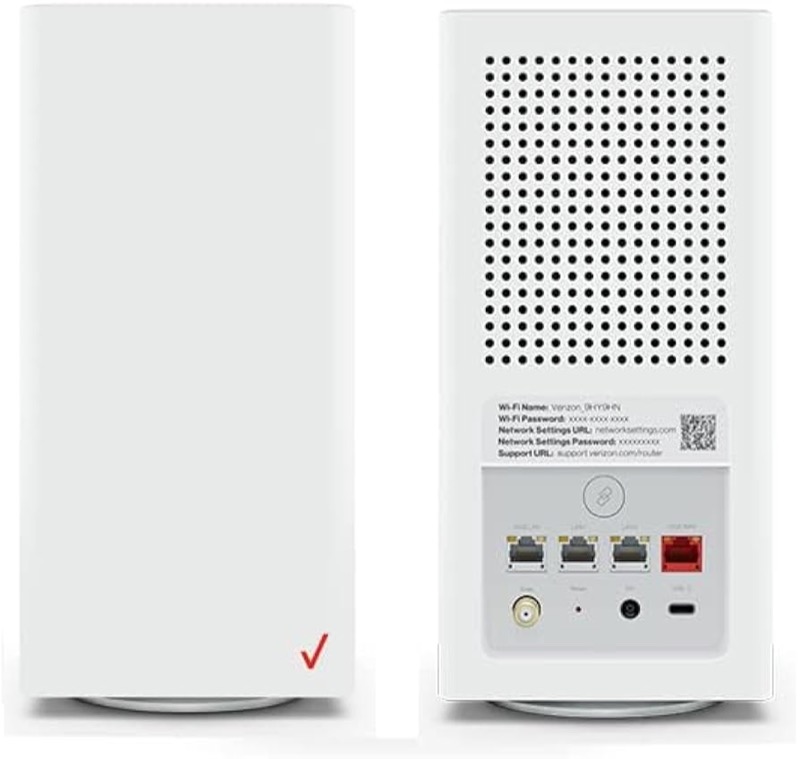
A blinking white light with no internet does not match a single state on Verizon’s CR1000A chart, and that mismatch is the point of this page. Verizon’s user guide (S08) lists fast blinking white as the router booting or going through a system restart. It lists solid yellow as no internet connection. Verizon’s knowledge-base chart (S09) also lists solid yellow for no internet. So the chart does not connect a blinking white light to a missing internet connection.
That means you have two readings to choose between. If the white is blinking, the router is most likely still starting, and the internet check comes after it turns solid white. If the white turns solid and the internet is still down, the router is not showing the no-internet state, so the problem is probably outside the router’s light, such as the cable, the devices or an outage. Watching which of these happens first tells you where to look.
The page covers the CR1000A only. The user guide’s chart is for that model, and the sources do not show that other Verizon routers share it.
#2 White and internet on the CR1000A
| What you see | What Verizon says | What to do |
|---|---|---|
| Fast blinking white | Booting or a system restart | Wait for it to finish |
| Solid white, internet working | Normal operation | Nothing to fix |
| Solid white, internet down on devices | Not a chart state; the light says the router is working | Check the cable, devices and outage |
| Solid yellow | No internet connection | Check the coax and the outage picture |
The user guide ties the no-internet state to yellow, so a white light is not the signal to look for. This is why the steps below check the start-up first, then the connection.
#3 Steps to Troubleshoot
- Decide whether the white is blinking or solid. Blinking white is a start-up state, so wait for it to finish before you judge the internet.
- Wait for the light to turn solid white. Then test the internet on a device.
- If the light is solid white and the internet is down, check the cable. Make sure the coax is firmly connected at the wall and at the router.
- Check for an outage in your area. An outage can stop the internet on every device while the router light stays white.
- Check the devices. Confirm that the devices are on the router’s Wi-Fi network with the correct password, and test one device by a wired connection if you can.
- If the light turns solid yellow, treat it as no internet. That is the state the chart ties to a missing connection, so the coax and outage checks apply.
- Contact Verizon if the internet stays down. Give the model, the light’s colour and pattern, which devices fail, and what you have already checked.
#4 What If Scenarios
Q: The light is blinking white and my internet is down. Is the router the problem? Probably not yet. The user guide describes blinking white as a start-up state, so let the router finish starting, then test the internet. The chart does not link blinking white to no internet.
Q: The light is solid white but my internet is down. Why doesn’t the light show it? The chart says solid yellow is the no-internet state, and solid white is normal operation. So a white light with no internet is not what the chart shows. Check the cable, the devices and any outage.
Q: Will restarting the router fix the blinking white? A restart puts the router through the same start-up, so the white light blinks again while it boots. Let it finish once, then check the internet, rather than repeating restarts.
Q: The light changed from blinking white to solid yellow. What does that mean? Solid yellow is the chart’s no-internet state. The router has finished starting but is not reaching the internet, so check the coax cable and any outage.
Q: My router is a Fios Router G3100 or another model. Does this chart apply? Not as far as the sources show. This chart is for the CR1000A.
#5 Related Articles
For the full CR1000A chart, read the Verizon CR1000A light meanings guide. For the start-up state, read the Verizon router blinking white guide. For the solid white state, read the Verizon router solid white guide.