
#1 What This State Means
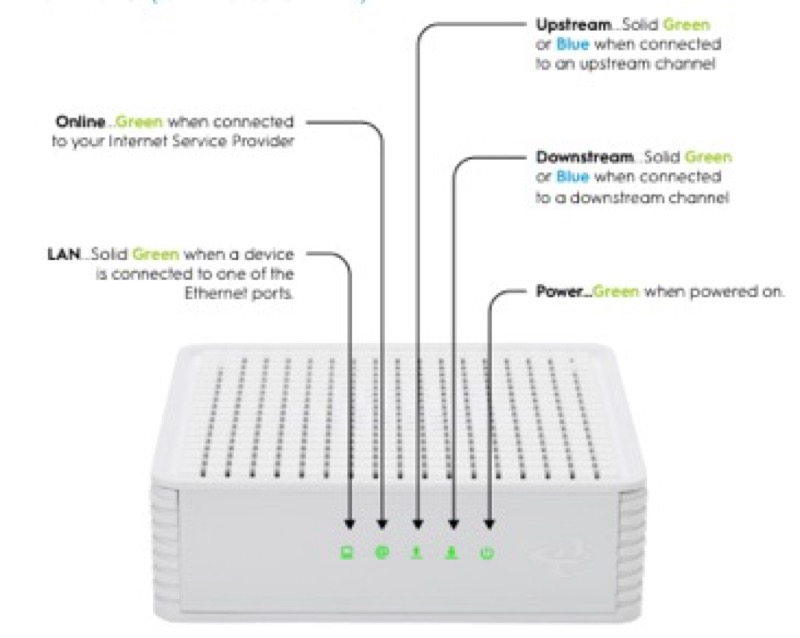
A red light on a WiFi router is not one state, and the sources here document red on two WiFi routers: Spectrum’s WiFi 6 router and Cox’s XER10 Panoramic WiFi router. The draft’s claim that the page covers all WiFi router brands is not supported by any source, so this page does not cover them. For these two routers, red has a documented reason, and the reason depends on the pattern.
On Spectrum’s WiFi 6 router (S02), a red pulse is a connectivity issue, red alternating with blue or green is a firmware update that restarts the router by itself, and red alternating with white is overheating. On Cox’s XER10 (S31), solid red is no internet connectivity, from a hardware, software, Wi-Fi or Ethernet failure, or any impairment that results in the loss of IP connectivity. So the Spectrum red is pattern-specific, and the Cox red is a single connection state.
Neither source names a single cause for the connection states, so the first step is the cable and the outage picture, not a repair.
#2 Red on the two covered WiFi routers
| Router | Red pattern | Why, per the source |
|---|---|---|
| Spectrum WiFi 6 router | Red pulsing | Connectivity issue |
| Spectrum WiFi 6 router | Red and blue or green, alternating | Firmware update; restarts automatically |
| Spectrum WiFi 6 router | Red and white, alternating | Overheating |
| Cox XER10 Panoramic WiFi router | Solid red | No internet connectivity |
The table covers these two routers only. Other WiFi routers are not described by these sources.
#3 Steps for a red light on these routers
- Confirm the router and the pattern. Read the label, and note whether the red pulses, alternates or stays solid.
- For a Spectrum pulse, check the connection. Check the cable from the modem into the router’s Internet port, the modem’s lights, and any outage.
- For a Spectrum alternation, wait or move it. Blue or green alternating is an update, so do not unplug the router. White alternating is overheating, so move the router to a cooler, open spot.
- For a Cox XER10 solid red, verify the cables. Cox’s table asks you to verify all cable connections and to try resetting the gateway.
- Reboot once if the red continues. On the XER10, unplug the power cord from the back for 30 seconds and plug it back in. On Spectrum, press and hold the side Reset button for 4 to 14 seconds.
- Contact the provider if the red stays. Give the model, the pattern, how long it has lasted and what you have already checked.
#4 What If Scenarios
Q: Why is my WiFi router blinking red if the internet works? On Spectrum, a red pulse is a connectivity issue, so the connection may be unstable even while it works. Check the cable and the modem, and contact Spectrum if it continues. This page does not cover other WiFi router brands.
Q: Why is my Cox XER10 solid red? Cox’s table says solid red means no internet connectivity. Verify the cable connections and try a reset, which the table gives as the action.
Q: Why is my Spectrum router alternating red and white? The Spectrum manual says red and white alternating is overheating. Move the router to a cooler, open spot.
Q: My WiFi router is a different brand. What do I do? These sources do not cover it. Use that brand’s light table, or contact its provider.
Q: Do I need a factory reset? The sources give a reset as an action on the XER10, but a factory reset removes your settings. Use it only if the provider asks.
Q: Does a red light mean my WiFi router is broken? Not always. On Spectrum, red alternating with blue or green is a firmware update that finishes on its own, and red alternating with white is overheating that the placement fixes. A red pulse is a connectivity issue, and Cox’s solid red is no internet connectivity or offline. The sources do not call any of these a broken router, so check the cause before replacing anything.
Q: What should I tell my provider about a red light? Give the router’s model from the label, the exact pattern and colour, whether it pulses, alternates or stays solid, how long it has lasted, and what you have already checked, such as the cable, the placement and any outage. The provider can match the pattern to its own table.
#5 Related Articles
For the full Spectrum red states, read the Spectrum router blinking red guide. For the Cox red state, read the Cox router red light guide. For the general red reasons, read the why is my router blinking red guide.