
#1 What This State Means
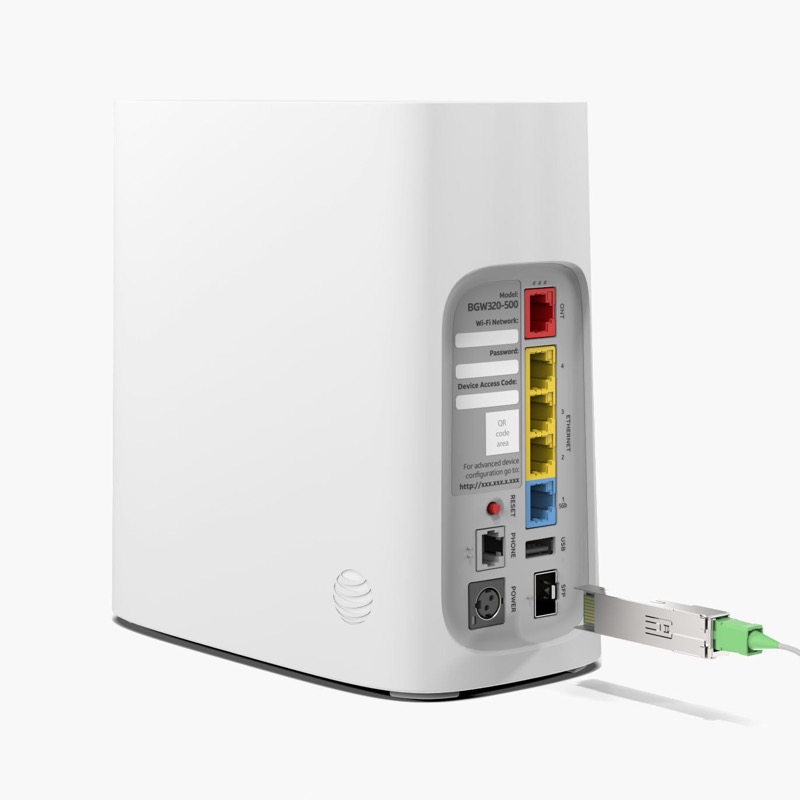
On an AT&T gateway, a blinking red light has a reason that depends on which light is red and whether it blinks fast or slow. AT&T’s BGW320 light guide (S06) gives the reasons on the BGW320. A fast blinking red Service light is a network service issue, which AT&T says may be momentary, and it suggests checking for an outage and rebooting the gateway. A slow blinking red Service light means the gateway has no broadband connection, and AT&T’s first step there is to check for a loose, disconnected or damaged cable. Those are two different reasons, so the speed tells you which one to check.
The red on the WPS light is a separate state. A fast blinking red WPS light with the Service light solid white means several Wi-Fi devices are trying to connect, and a solid red WPS light with the Service light solid white means WPS pairing has failed. Neither is a network fault.
This page covers the BGW320 only. AT&T’s BGW210 guide (S24) describes the Power and Service lights but not a blinking red state, and the sources do not give a blinking red meaning for the BGW620.
#2 Why it blinks red, by light and speed
| Light and pattern | Why it is red, per AT&T | First check |
|---|---|---|
| Service light, fast blinking red | Network service issue, which may be momentary | Check for an outage, then reboot |
| Service light, slow blinking red | No broadband connection | Check the cable, then follow AT&T support for any reset |
| WPS light, fast blinking red, Service solid white | Several Wi-Fi devices trying to connect | Wait, then try again |
| WPS light, solid red, Service solid white | WPS pairing failed | Wait for the light to change, then press WPS again |
The table shows the reason for each red blink. The speed and the light are both needed to read it.
#3 Steps to check a red blink
- Identify which light is red. The Service light and the WPS light are separate, and each has its own meaning.
- Note the speed. Fast or slow blinking matters on the Service light.
- For a fast blinking Service light, check for an outage. Use Smart Home Manager or myAT&T on a mobile device, then reboot once if there is no outage.
- For a slow blinking Service light, check the cable. Look for a loose, disconnected or damaged cable at the wall and the gateway, and reseat it.
- For a red WPS light, wait before trying again. Wait until the light changes, then retry pairing.
- Use AT&T’s current support for any reset. AT&T’s guide mentions a red reset button for slow red, but the duration is not published here.
- Contact AT&T if the red stays. Give the model, which light is red, the speed, and what you have already checked.
#4 What If Scenarios
Q: Why is my AT&T gateway blinking red fast? On the BGW320, AT&T’s guide gives fast blinking red on the Service light as a network service issue that may be momentary. Check for an outage and reboot once.
Q: Why is it blinking red slowly? AT&T’s guide gives slow blinking red on the Service light as no broadband connection. Check the cable first, because that is AT&T’s first step.
Q: The WPS light is red but the internet works. Why? The BGW320 guide gives a red WPS light as a pairing state, not a network fault. A solid red WPS light with the Service light solid white means pairing failed, so wait and try again.
Q: My BGW210 is blinking red. Does the BGW320 reason apply? No. The BGW210 guide does not describe a blinking red state, so the BGW320 reasons do not apply. Check for an outage and the cable, and contact AT&T.
Q: My BGW620 is blinking red. What does it mean? The sources do not give a blinking red meaning for the BGW620 in this page. Check for an outage and the cable, and contact AT&T with the pattern.
Q: Why is my AT&T light red when the internet still works? AT&T’s BGW320 guide says a fast blinking red Service light may be a momentary network service issue. So a red light with working internet can come from a short network problem that has passed or is still settling. Check for an outage, and watch whether the light changes. If the red keeps blinking or the internet drops, contact AT&T.
#5 Related Articles
For the full BGW320 legend, read the AT&T BGW320 light meanings guide. For the BGW320 red states, read the AT&T BGW320 blinking red guide. For the general AT&T red page, read the AT&T router blinking red guide.