
#1 What This State Means
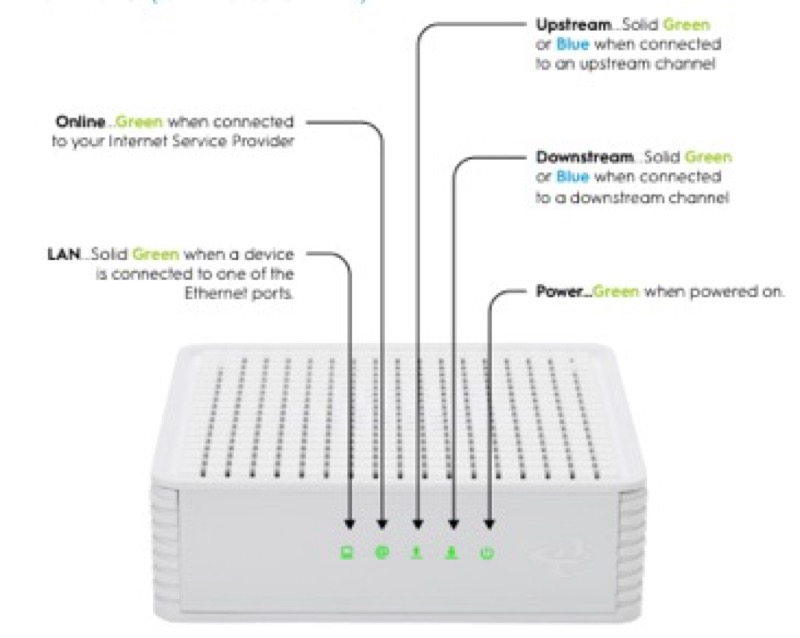
A router can show a blinking light while the internet works, and the sources on this site explain that for only some brands. The reason is that the light describes a state, and a state can be a step the device is still going through even when traffic is getting through. Working internet is therefore one reading and a blinking light is another, and they do not always agree at the same moment. Check what the table says the blink means before you conclude the router is faulty.
On Spectrum’s WiFi 6 router (S02), a blinking light is booting or connecting, and a solid blue or green light is connected to the internet. A pulsing light can therefore coexist with an internet that already works, while the device is still settling. On Cox’s XER10 (S31), a solid amber or flashing amber light is a boot or IP-acquisition step, and solid white is online. Flashing amber while the internet works is the same sequence as before, so check whether the light settles to solid white.
The sources do not explain every case, and neither gives a time for a state to settle. So if the internet works but the blink continues, the honest reading is that the device has not finished its own steps, not that the internet is broken.
#2 Blinking light with working internet
| Brand and device | Blinking state | What it means, per the table | What to do |
|---|---|---|---|
| Spectrum WiFi 6 router | Flashing or pulsing blue or green | Booting, or connecting to the internet | Wait for it to turn solid |
| Spectrum WiFi 6 router | Solid blue or green | Connected to the internet | Nothing to fix on the router |
| Cox XER10 Panoramic router | Flashing amber | Acquiring an IP address on the Ethernet WAN | Wait for solid white |
| Cox XER10 Panoramic router | Solid white | Online and functioning | Nothing to fix on the router |
The table keeps the blink and the internet apart. A blink with the internet working is a state the device has not finished, so the next step is to see whether it settles.
#3 Steps when the internet works but the light blinks
- Test the internet on a device. Confirm the internet is actually working, so you know whether the blink matters.
- Read the blink against the table. Match it to the brand’s table, and note whether it is a boot, connecting or IP-acquisition state.
- Wait for it to settle. If the light turns solid, the device has finished its steps.
- If it keeps blinking and the internet stays up, watch for changes. A change to a red state would mean a connection problem, so note the time and the colour.
- Check the cable if the blink continues for a long time. Cox’s tables ask you to verify the cable connections for a connection problem, so check the coax at the wall and the gateway.
- Contact the provider if the blink does not settle or the internet drops. Give the model, the light’s state, and how long it has blinked.
#4 What If Scenarios
Q: My router light blinks but the internet works. Is it about to fail? The sources do not say a blink predicts a failure. A blink with working internet is a device state that has not settled, so watch whether it becomes solid. If the internet drops, that is the point to check the connection.
Q: The Spectrum light pulses but my internet works. Should I reboot? The manual describes a pulse as connecting to the internet, so give it time before you reboot. A reboot keeps your personalised settings, according to the manual.
Q: The Cox light is flashing amber but the internet works. What now? Cox’s table gives flashing amber as IP acquisition with no action. Wait for the light to reach solid white, and check the internet on a device.
Q: My internet works and the light is solid. Is there anything to fix? No. Solid blue or green on Spectrum means connected, and solid white on Cox means online and functioning.
Q: My router is a different brand. Does this apply? Not as far as these sources show. Use the table for your own brand, or contact the provider.
#5 Related Articles
For the Spectrum blue states, read the Spectrum router blinking blue guide. For the Cox boot states, read the Cox gateway lights by device guide. For the power-cut sequence, read router blinking after a power outage.